Salesforce + AWS
Salesforce and AWS, working as one system
Event-driven integrations that keep Salesforce in step with the rest of your stack: Platform Events and Change Data Capture on one side, Lambda, EventBridge and SQS on the other, designed by a certified Integration Architect.
- Integration Architect
- Platform Events and CDC
- Lambda and EventBridge
The Problem
Point-to-point integrations work until they do not. A nightly job fails silently, an API limit trips during month-end, a downstream system goes down and Salesforce users see errors they cannot fix.
AWS is the natural home for the logic between Salesforce and everything else: it scales with the load, retries what fails and keeps an audit trail. The work is in the design: what flows as events, what stays a request, and who owns each record, so neither side has to know how the other works.
What You Get
your-integration/
- force-app/Platform Events, Change Data Capture and Named Credentials on the Salesforce side
- infra/The AWS side as code: EventBridge, SQS, Lambda and IAM, deployable to any account
- functions/The logic in between, with retries, dead-letter queues and tests
- monitoring/CloudWatch alarms, so a failure pages someone before a user notices
- INTEGRATION.mdWhat flows where, who owns each record, and how to add the next system
How It Works
- 01
Discovery call (free, 30 min)
The systems involved, what has to stay in sync, and what happens today when it does not.
- 02
Written scope and quote
Every flow listed with its direction, trigger, volume and owner, and a quote.
- 03
Build
Both sides built and tested together, in a sandbox and a non-production AWS account.
- 04
Go-live and hand over
Deployed through a pipeline, with alarms and runbooks your team owns.
Proof
Certifications and field notes
The Salesforce certifications behind this work, and the patterns we use, written up on our blog.
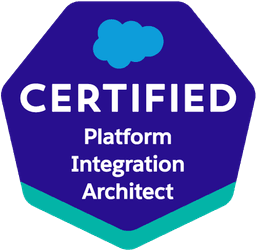
Integration Architect
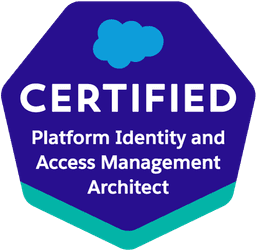
Identity and Access Management Architect
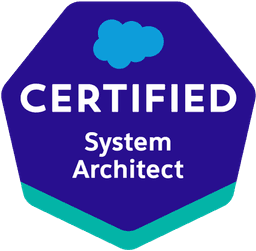
System Architect
FAQ
Why AWS and not MuleSoft?
If you already run MuleSoft, we integrate through it. If you do not, AWS covers most Salesforce integration needs without a separate integration platform licence, and your team owns all of it as code.
Do we need our own AWS account?
Yes. Everything is deployed into your account and defined as code, so you own it outright. If you do not have one yet, we set it up with you.
What about Salesforce API limits?
Designed in from the start: events instead of polling, bulk APIs for volume, and queues that absorb spikes so month-end does not trip a limit.
Who supports it after go-live?
Your team, with runbooks and alarms, or us on a managed services plan.
Systems that should be talking to Salesforce?
Thirty minutes with the architect who would do the work. You leave with a recommended next step.
Book a free 30-min call